This page provides information about the Author block, and how it works on a Blog Detail Page.
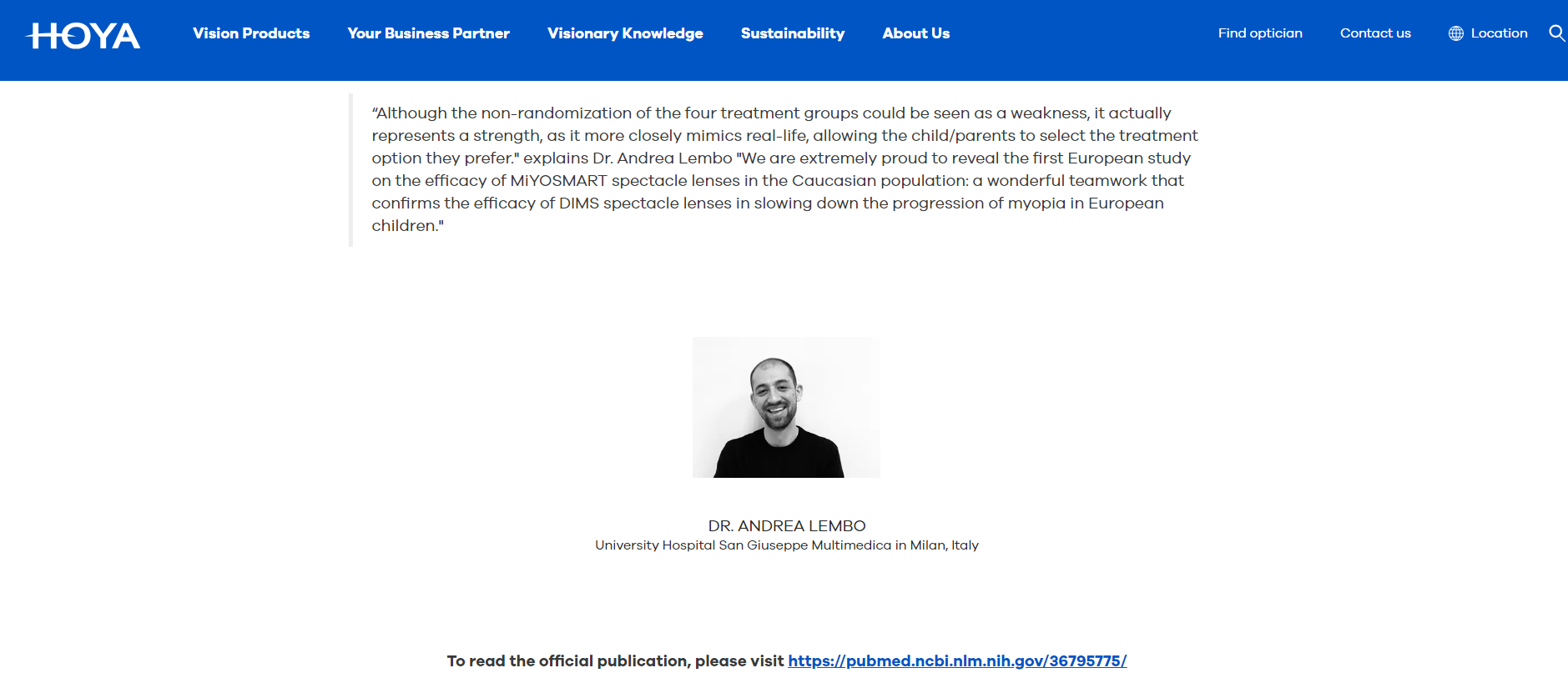
How to create a author block?
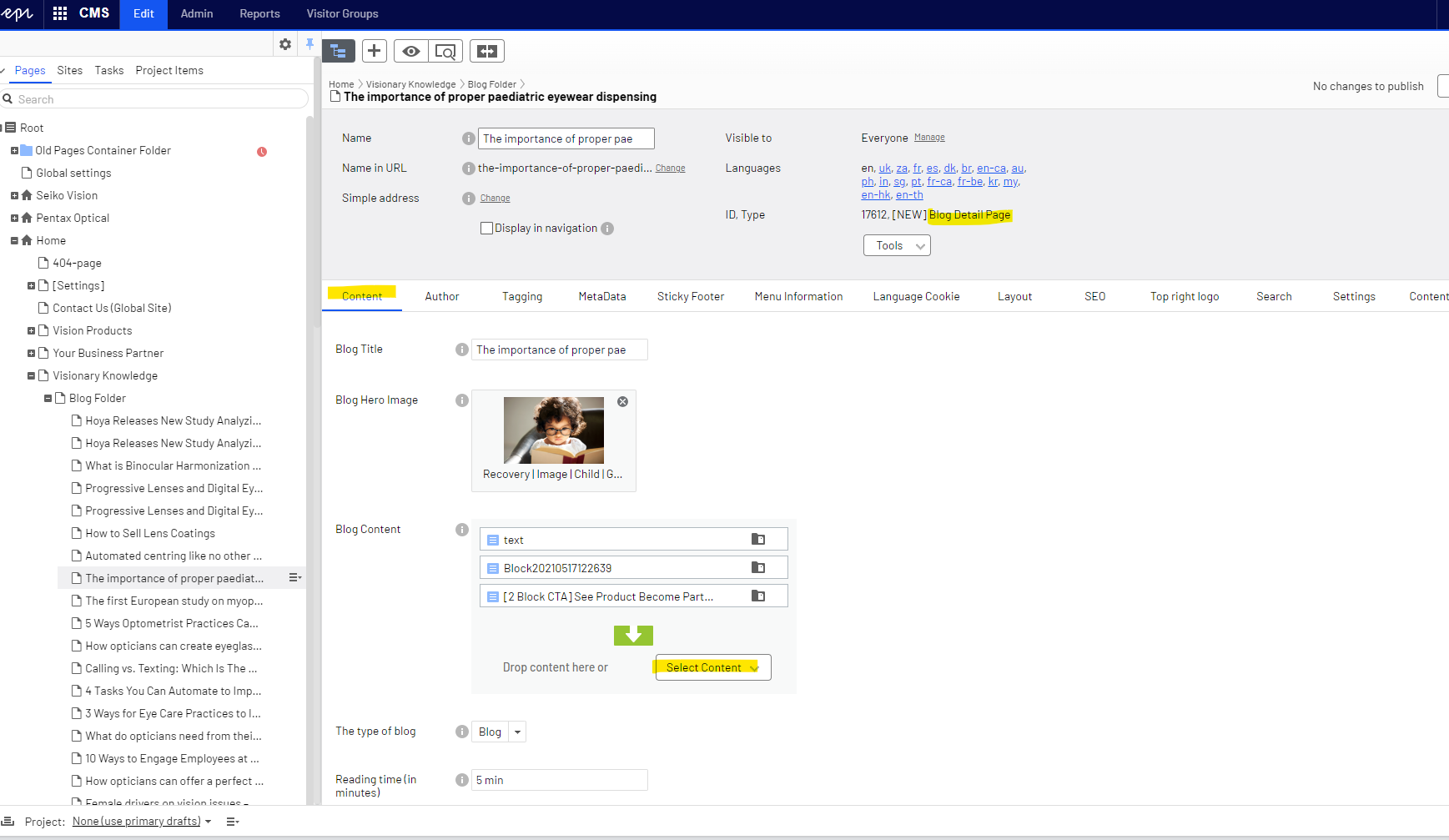
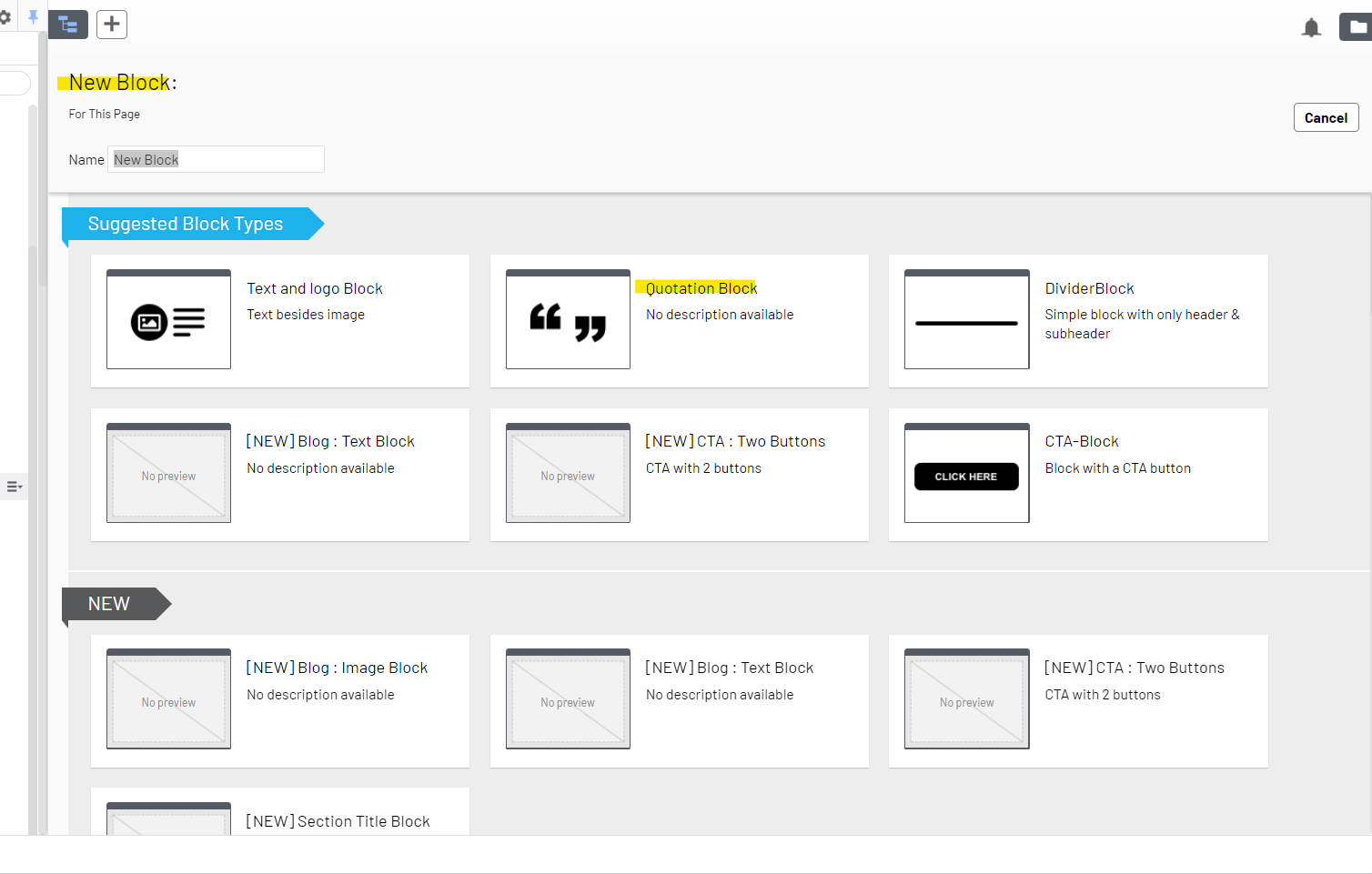
1) Go to the blog page -> click [selecte content] and choose [create a new block] -> select [Quotation Block]
2) Add the necessary information
It consist of:
- Quotation Text
- Author's name
- Author image
- Author title
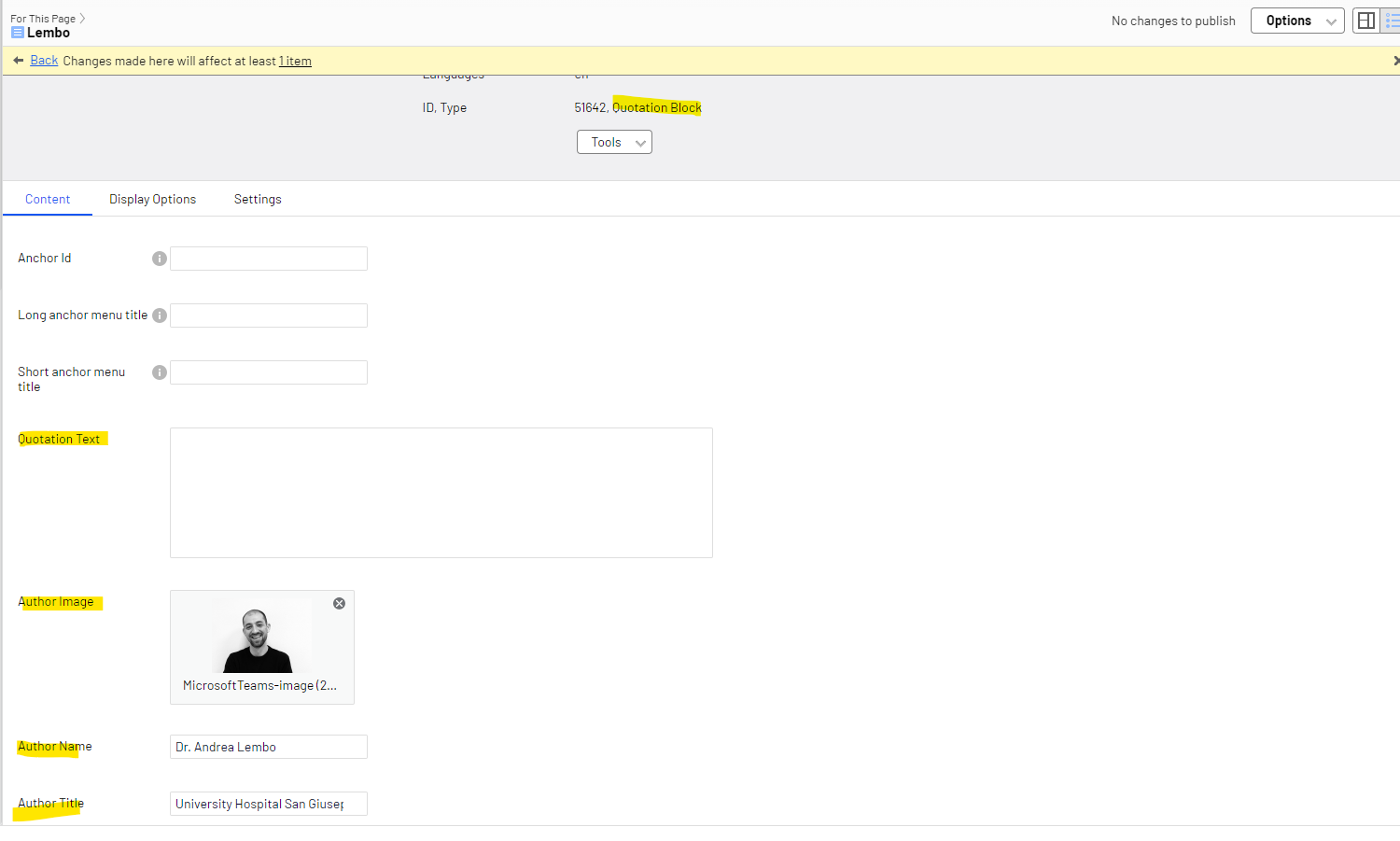
Once the block is created, you can use it on any BlogDetailPage.
3) Save and publish the page