How to create a new blog?
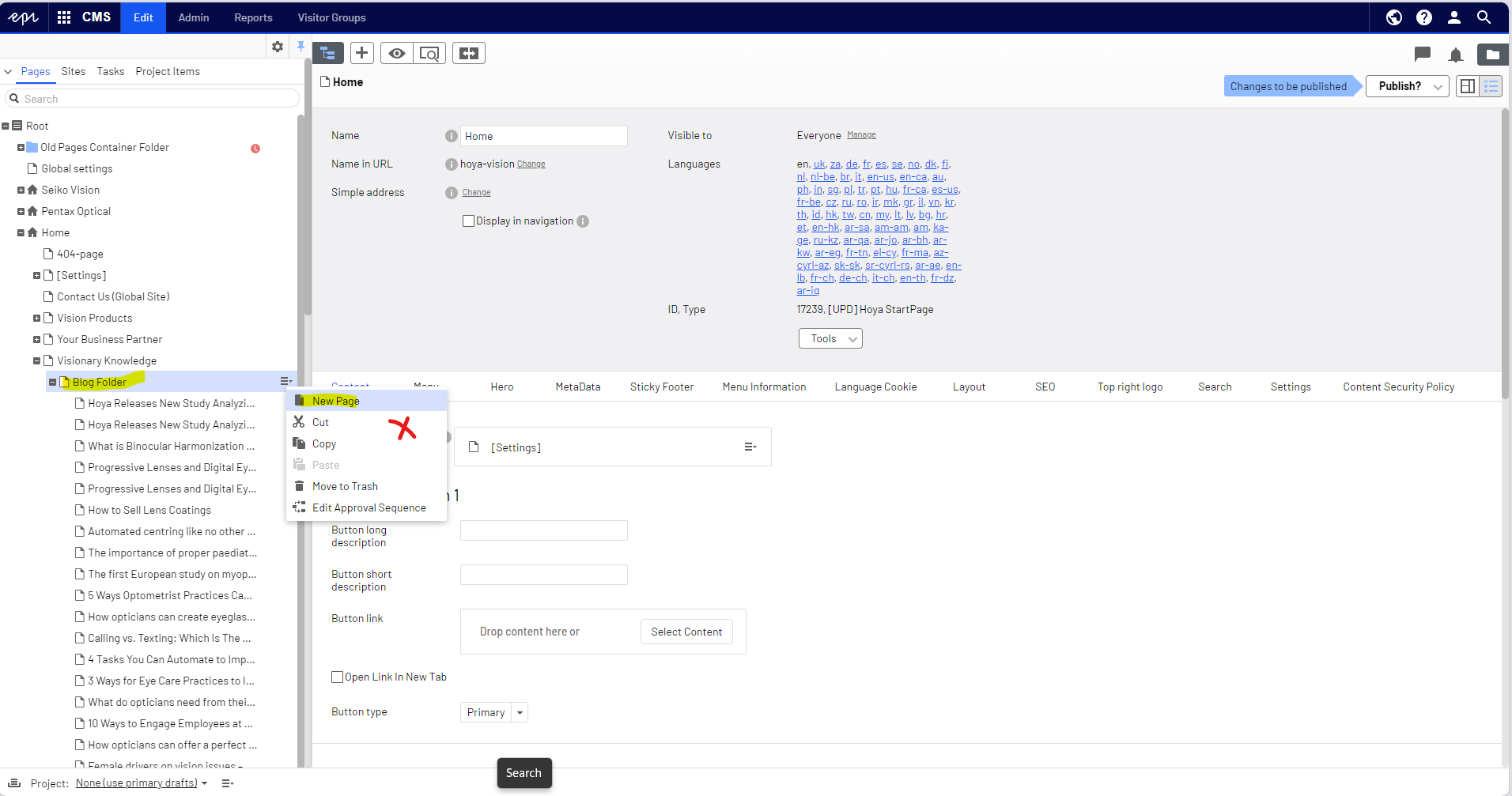
1) Select the [blog folder] -> click the icon beside the page -> click [New page] *Please do not use copy function as it will copy for all local languages.
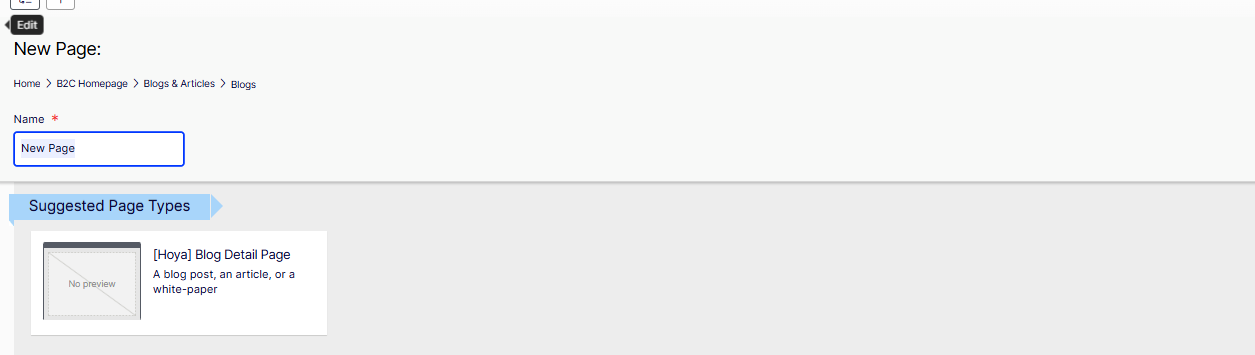
2) Choose the block that says Blog Detail Page. Once a page is created, please add the necessary information including page name, blog title, blog hero image, blog content...etc.
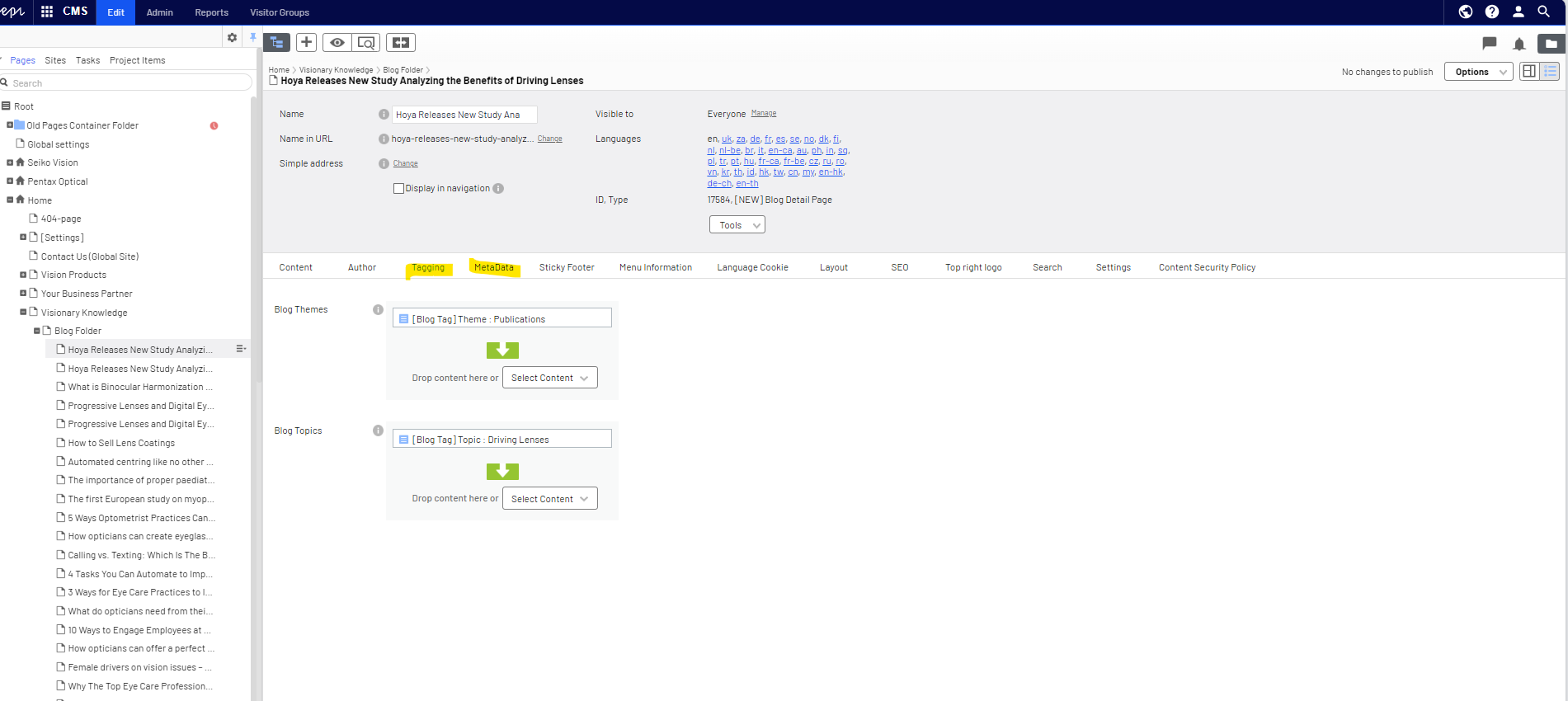
3) Please also add tagging and the metadata to optimize the search result
4) Once it is done, click save and publish the changes.
5) Public view: the blog in the blog overview page