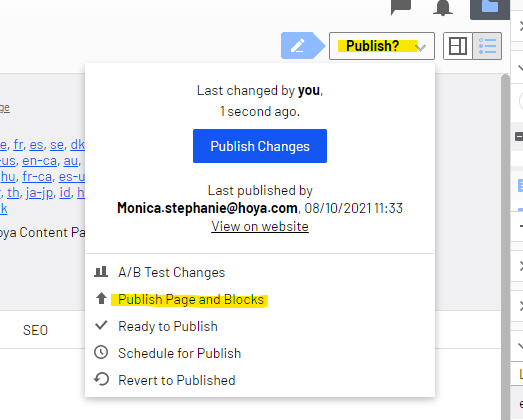
To make your edits visible on your site, you need to publish the page.
- Click the 'Publish' button at the top to make the dropdown menu appear.
- Click either 'Publish Changes' or 'Publish Page and Blocks'.
The second option is recommended as this also publishes the content inside the Blocks. Via the blue publish button at the bottom of the 'Quick edit' option you can also publish the content within one specific block instead of the full page.