To dynamically redirect visitors accessing a website page to another page internal or external the website, we can use a feature: Shortcut
How to do it?
- Go to the website CMS
- Select a page
- Go to the tab: Settings and click on the link: Manage on filed: Shortcut
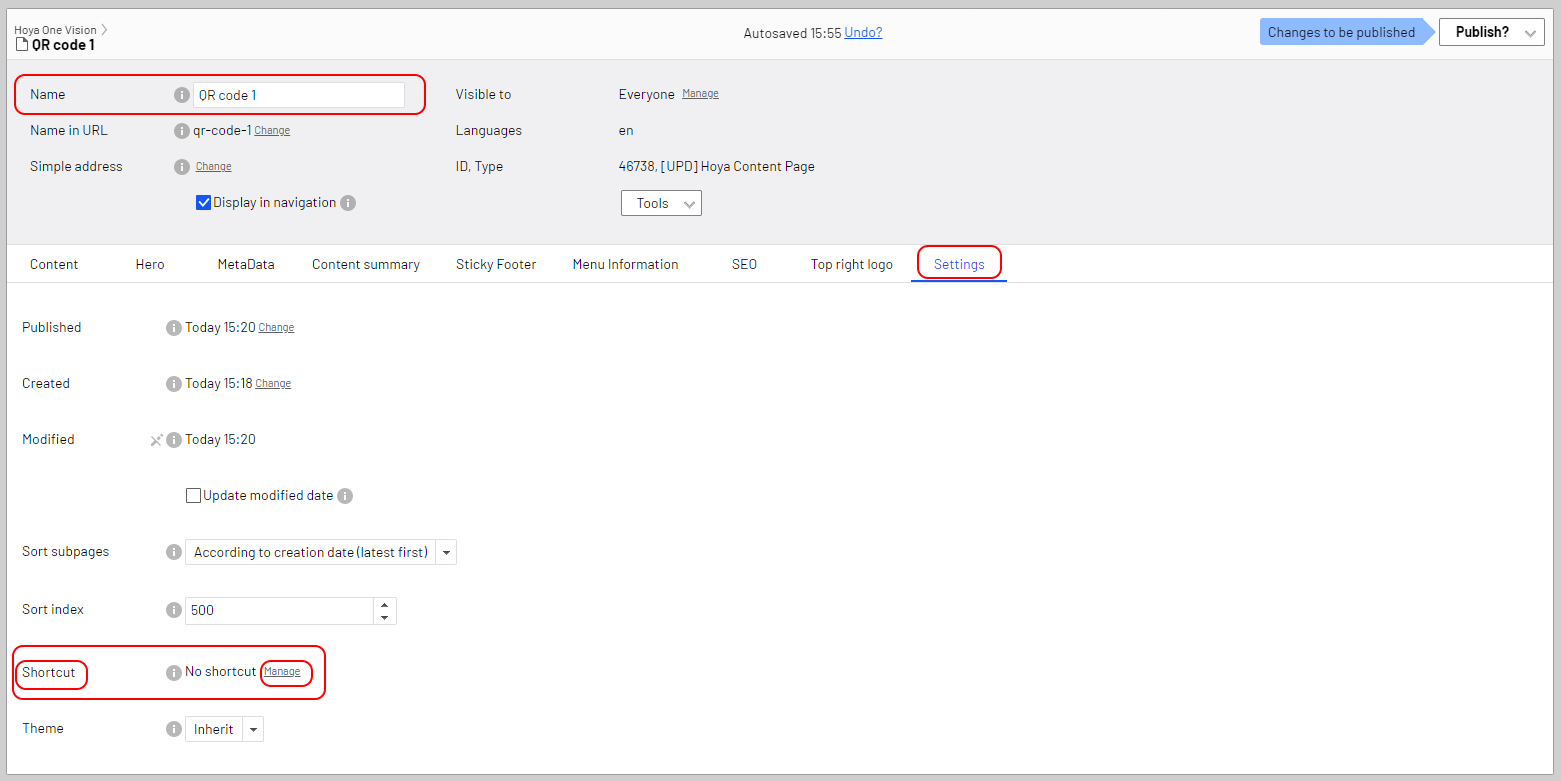

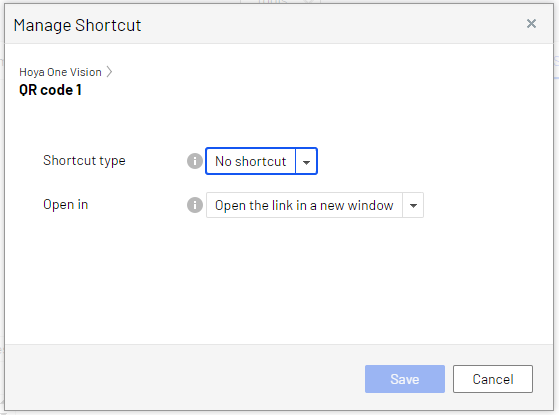
4. A windows with the following drop-downs will be open:
a. Shortcut type
b. Open in
In the Shortcut type drop-down you can choose the following options:
- Shortcut to another content item, if you need an internal redirect to a page in the same website. N.B. This will be 301 HTTP Status
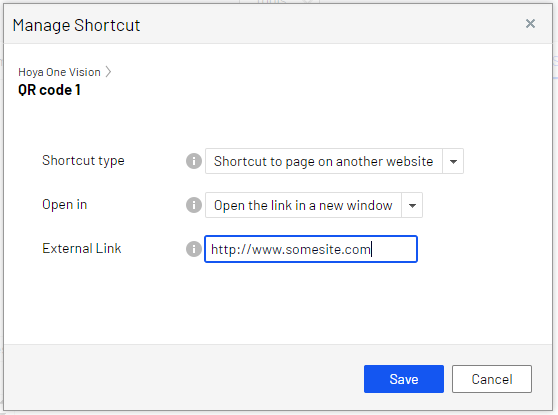
- Shortcut to page on another website, if you need a external redirect to a page on another website. N.B. This will be 302 HTTP Status
5. Select the option you need in the Shortcut type and the External or Internal link to redirect to (ex. Shortcut to page on another website) and Save it:
6. Publish the page
For now on, any visitors request to this page will be redirect to the External or Internal link configured on the tab: Settings for the field: Shortcut.