What is a block?
A Block is a piece of content that's placed on a page. It usually contains text and/or images. The blocks can be dragged and dropped in a different order on the page.
On the page Blocks you can find an overview and links to demo pages to view the available Blocks. Please note that the Hero image and titles at the top of the page are not blocks, they can be edited in the tab "Hero".
How to create a new block
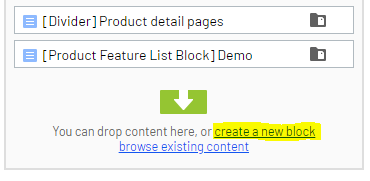
- Open the page where you wish to add a new block. On the Content tab (which is automatically opened as you open a page), choose the link "Create a new block":
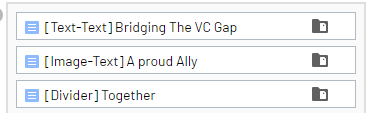
- Choose an appropriate title for the block. This is always the Block Type in brackets and then a short and comprehensive title for the content. For example:
3. Choose which Block type you wish to use. Please note that this cannot be changed afterwards, you will need to re-create the complete Block. In this list you will find information and examples on all the available blocks: Overview: Blocks.
4. You can now add the content to your Block by clicking "Quick Edit" on the hamburger icon that will appear next to the block's name when you hover over it:
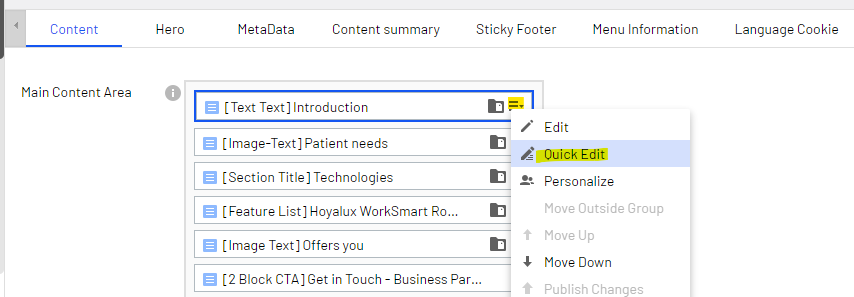
The fields that appear are dependent on the Block type you've chosen. None of the fields are required and they can all be left blank.
Note: when a block has this icon next to it, it indicates the content is only available for that specific page.
Storage of blocks
The blocks can be found through the Assets Pane on the right side of the screen. Click the 'folder' icon to make this pane appear and choose the tab "Blocks":
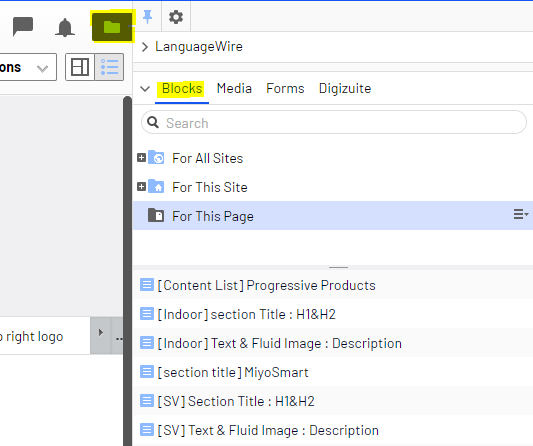
They can be edited from here or dragged and dropped onto the page.
How to edit the name of a Block
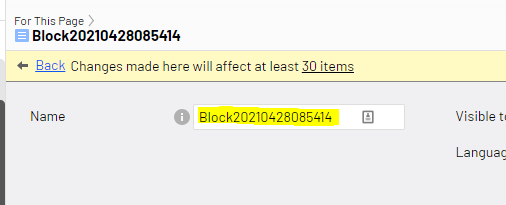
Sometimes blocks have wrong titles and an edit is in order. You can do so by using the "Edit" option instead of the "Quick Edit" option.
Then, you can simply change the name, and publish the block. The block names are only related to one local language, so this will only have effect on one languages. No internal links/connections will be broken by changing the name.