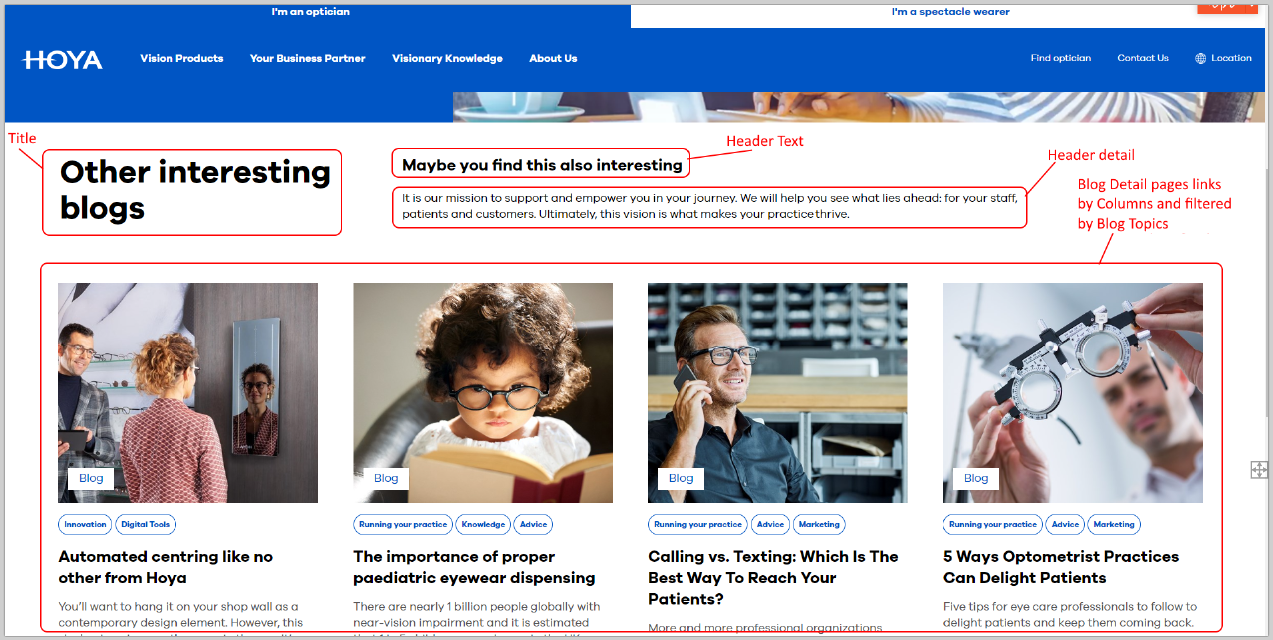
To make visitors aware of blog articles (Blog Detail Pages) that may (also) interest them, related blog articles from the blog folders for HOYA Vision Care news + Visionary knowledge should be possible to displayed on pages: Blog Detail Pages and Content Pages (old -[UPD] Hoya Content Page- and new version -Content Page-) adding the new Block: Latest Blog Articles Dynamic Block on the field: Main Content Area or Blog Content of these pages (Blog Detail Pages and Content Pages):
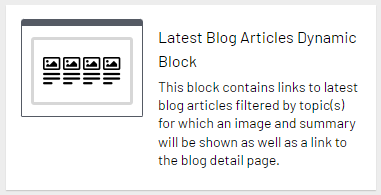
This new block:
- Shows a list of 2-4 blog detail pages (only one row)
- Content editors can choose how many columns are displayed
- If the there are fewer blog articles than the selected number of columns, scale columns back to articles available
- The blog articles are shown in order of date, most recent first
- Editors can choose topic(s) per block which will show the most recent blog articles for the selected topic(s)
- If there are no blog articles for the selected topic(s), the block will be hide on the page
- When the block is used on a Blog Detail Page, the topics setting will be automatically copied from the Blog Detail Page.
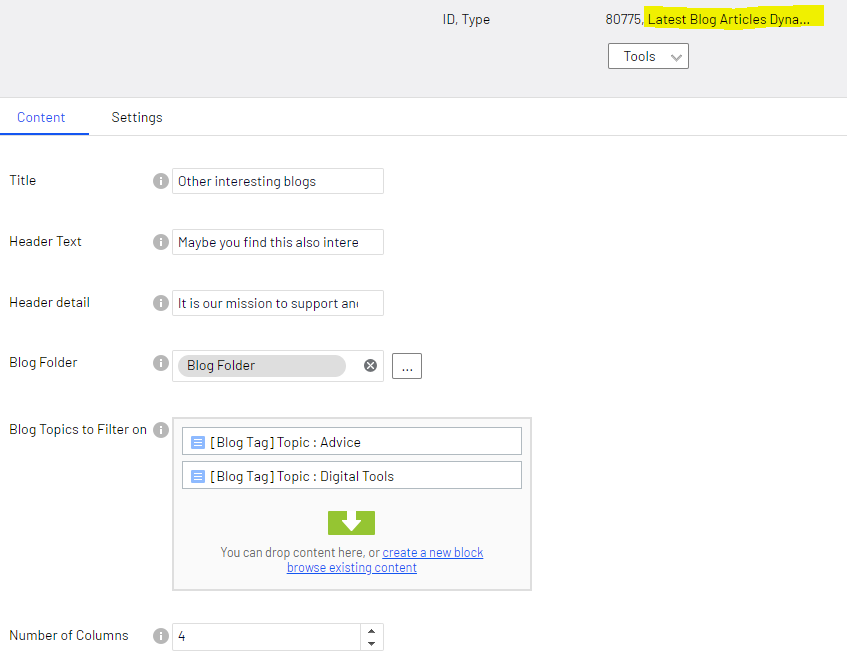
This block contains these fields:
- Title, the title
- Header Text, the header text
- Header detail, the header detail description text
- Blog Folder, the CMS folder where to pickup the article blogs (Blog Detail Pages)
- Blog Topics to Filter on, the specific topic(s) (Blog Tags) on which article blogs will be filtered.
N.B. If this block is on the 'Blog Detail Page', then this field will be ignored and instead will be used the Blog Topics on the 'Blog Detail Page' to filter on - Number of Columns, how many columns are displayed.
N.B. Min 2 and Max 4.

How To Use
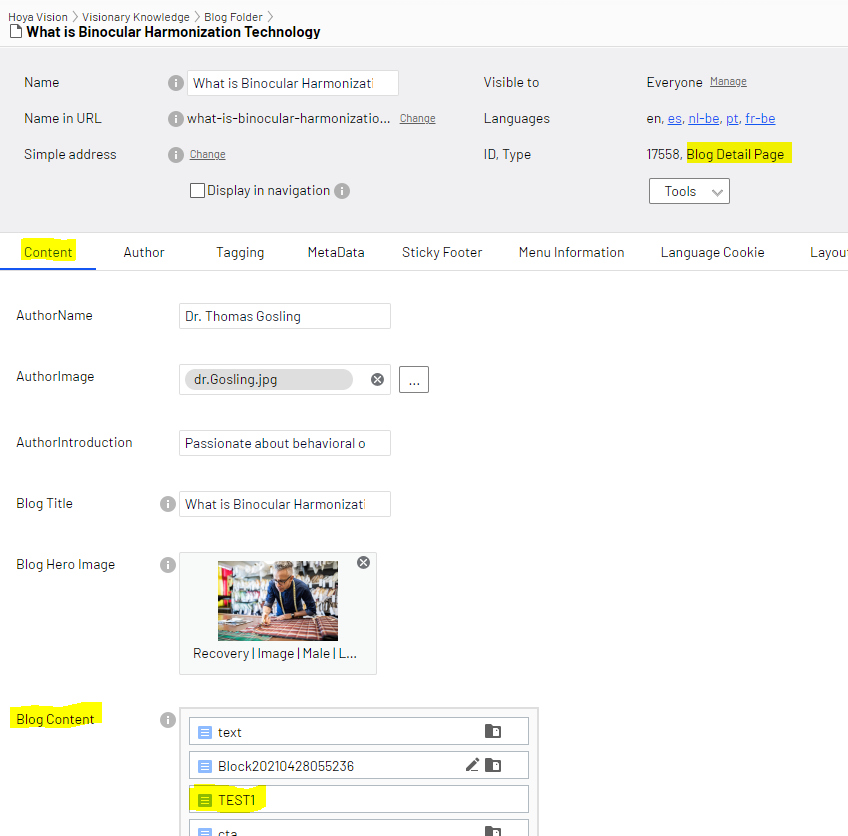
- Create the Latest Blog Articles Dynamic Block, save it and plublish it (N.B. in the screenshots below it is named: TEST1)
- Select a Blog Detail Pages or Content Pages (old -[UPD] Hoya Content Page- and new version -Content Page-)
- Go to the tab: Content
- If the page selected is a Blog Detail Pages, go to the field: Blog Content and drag&drop there the Latest Blog Articles Dynamic Block

- If the page selected is a Content Pages (old -[UPD] Hoya Content Page- and new version -Content Page-), go to the field: Main Content Area and drag&drop there the Latest Blog Articles Dynamic Block

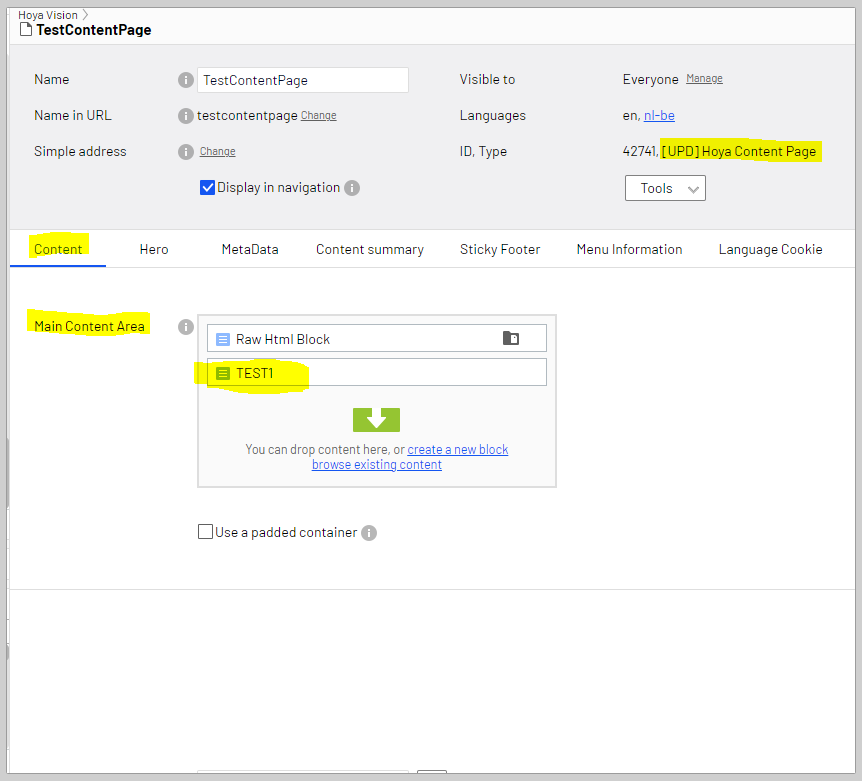
- Save and publish the page
- The page where this block has been added will render the block like this: