When the Business to Consumer part of the site and the navigation bar at the top has been activated. The navigation bar includes a link for opticians (B2B) and spectacle wearers (B2C):

In order to change the text, open the homepage and choose the tab "Menu":
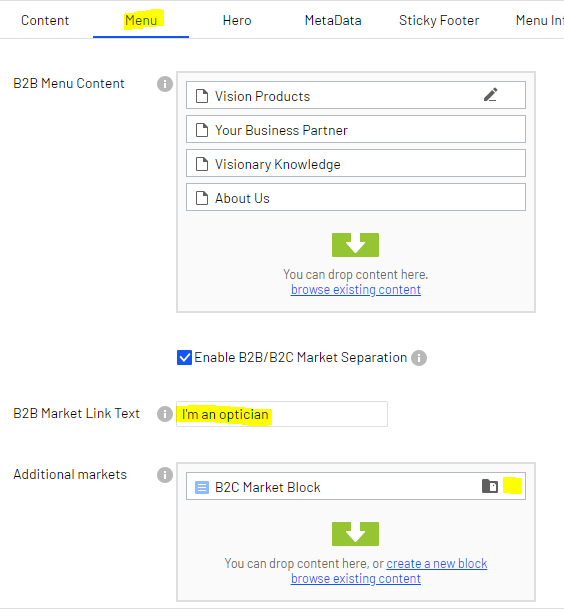
In the field "B2B Market Link Text" you can change the text on the left option for the B2B section.
For the Spectacle wearers section, open the B2C Market Block:
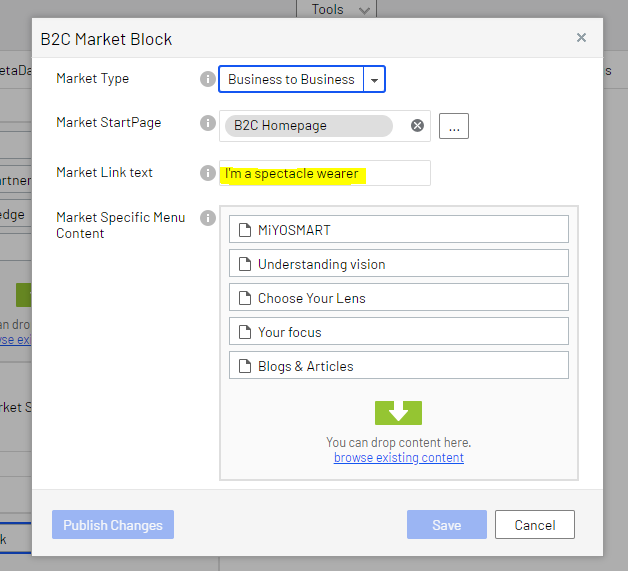
In the field "Market Link Text" you can change the text that appears on the right side for the B2C section. You can also change the pages in the navigation bar of the site.